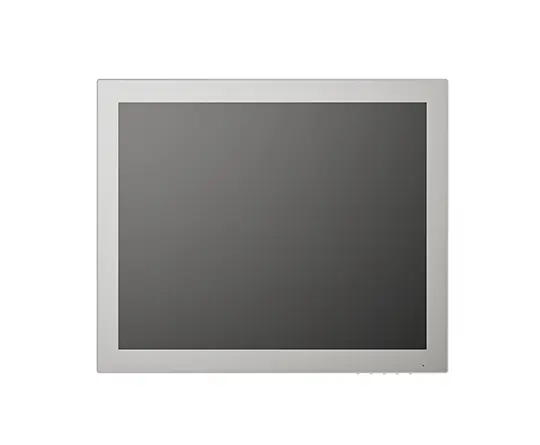
A stainless steel panel PC in a medical cart, imaging room, or laboratory control station has to tolerate cleaning without creating new service problems. Vantron’s all-in-one panel PC category supports fanless cooling, touch input, flexible I/O, and multiple mounting options, but enclosure material is only one part of the design.
Medical equipment also brings software, hygiene, thermal, and lifecycle requirements into the same enclosure. Stainless steel can support cleanable surfaces and mechanical protection, yet it does not automatically make a system medical-grade, corrosion-proof, or compliant with every clinical requirement.
Is Stainless Steel the Right Material for a Medical Panel PC?
Stainless steel is useful where the enclosure needs a hard, cleanable surface with limited exposed seams. A wall-mounted HMI beside a laboratory instrument, a control screen on a medical cart, and a panel PC integrated into a diagnostic workstation may all benefit from surfaces that tolerate repeated wiping.
The alloy still matters. Your choice should follow the disinfectants, saline residues, humidity, and cleaning frequency at the installation site. Material selection based only on appearance can create problems after long-term chemical exposure.
Geometry often matters more than the material name. Deep recesses, sharp internal corners, exposed fasteners, and overlapping bezels can collect residue. A well-designed enclosure gives staff fewer areas to inspect and clean. Seals, labels, buttons, and cable entries deserve the same review as the visible stainless-steel face.
Cleanability Starts With Surface and Geometry
Medical cleaning is a process, not a claim about the outer shell. Identify the products used for wiping and disinfection, their contact time, and whether staff apply them directly to the screen. Alcohol-based cleaners, chlorine compounds, hydrogen peroxide, and detergents can affect coatings, adhesives, elastomers, and printed markings in different ways.
A smooth front panel can help, but the display still needs a suitable cover glass and touch surface. The operator may use gloves, wet fingers, or a stylus. A clinical workstation that requires repeated menu selection should be tested with the actual gloves and cleaning routine rather than with bare-finger input in a development lab.
The panel PC category describes multi-point PCAP touch intended for wet or gloved hands, along with a waterproof and dustproof front panel. Those features can support a rehabilitation device or laboratory console, but the rear enclosure, connectors, mounting cutout, and cable glands remain part of the cleaning boundary.
Sealing and Thermal Paths Shape the Enclosure
A sealed medical terminal reduces openings where dust and fluid can enter, but sealing changes heat transfer and service access. Fanless cooling moves heat through the chassis and into the mounting structure. If the unit is recessed into an insulated cart or cabinet, the surrounding design can restrict that path.
The category describes fanless panel PCs and flexible display sizes from 10.1 to 23.8 inches. That range can support a compact bedside interface, a larger imaging control display, or a wall-mounted hospital workstation. The selected size should follow viewing distance, information density, cleaning access, and available mechanical space.
An ingress rating on the front bezel does not establish the rating of the complete device. Check the rear housing, cable routing, power connector, ventilation strategy, and cabinet interface. Also separate ingress protection from electrical safety, electromagnetic compatibility, patient-contact requirements, and other compliance work that may apply to the finished medical product.
Software and I/O Belong in the Clinical Workflow
An all-in-one medical panel PC combines the display, compute platform, touch interface, and selected connectivity in one terminal. That arrangement can simplify a medical cart or instrument console, but the operating system still needs to match the application. The category supports Windows, Android, and Linux, giving your software team several deployment paths.
Windows may fit existing clinical or instrument software. Linux can support a controlled appliance with background services, local data handling, and custom device integration. Android can suit a touch-first rehabilitation interface or guided workflow. In each case, confirm access to serial communication, Ethernet, USB peripherals, display controls, watchdog functions, and any instrument-specific interface.
Vantron has worked in embedded computing since 2002 and has over 200 research personnel from a variety of fields. For a medical program, that makes lifecycle questions relevant: how system images are maintained, how replacement units are configured, how documentation is delivered, and how hardware changes are reviewed over the product’s service period.
Choose the Enclosure as Part of Validation
Begin with a cleaning and service record. Document the disinfectants, wiping frequency, glove type, required touch actions, cable locations, mounting method, ambient conditions, and access needed for maintenance. Then test the assembled terminal, including the glass, bezel, seals, cables, cart or cabinet, and software workflow.
Choose stainless steel when cleanability, mechanical protection, and repeated surface disinfection are central requirements. Choose a different enclosure approach when weight, wireless performance, thermal transfer, or specialized chemical exposure creates a stronger constraint. In either case, qualify the material and geometry against the actual clinical environment.
Custom OS, I/O, enclosure, or logo requirements can be reviewed alongside the medical terminal design. Vantron is one supplier example to include in that evaluation, while the final decision should rest on cleanability, thermal behavior, interfaces, validation evidence, and lifecycle support.